


Help with Avatar


#1 Help with Avatar
Hi, I could do with some help setting up an Avatar. I tried using the "URL link" method, linking to a normal JPG image on photobucket, but this site said "must be a JPG...." which it was! Tried to use a picture on my computer, and it said "size must be less than 15kb", but the sticky on this thread said avatar size could be up to 146kbs. Pixels are less than the max allowed. I've tried to get the picture down to 15kbs, but the computer can't get it that small, and even at 18kbs you can hardly see it! Any ideas please?
Malcolm
I only fit in a 2+2, so got one!
1969 Series 2 2+2
2009 Jaguar XF-S
2015 F Type V6 S
I only fit in a 2+2, so got one!
1969 Series 2 2+2
2009 Jaguar XF-S
2015 F Type V6 S
| Link: | |
| BBcode: | |
| HTML: | |
| Hide post links |

#2
Try this method: http://etypeuk.com/forum/viewtopic.php?t=904&start=30
David Jones
S1 OTS OSB
1997 Porsche 911 Guards Red
2024 Lexus LBX
Add your E-Type to our World Map: http://forum.etypeuk.com/viewtopic.php?f=1&t=1810
S1 OTS OSB
1997 Porsche 911 Guards Red
2024 Lexus LBX
Add your E-Type to our World Map: http://forum.etypeuk.com/viewtopic.php?f=1&t=1810
| Link: | |
| BBcode: | |
| HTML: | |
| Hide post links |
#3
Thanks, I'l try it tomorrow morning. 15 kbs still seems very small though - doesn't the sticky still say up to 146 kbs is ok?
Malcolm
I only fit in a 2+2, so got one!
1969 Series 2 2+2
2009 Jaguar XF-S
2015 F Type V6 S
I only fit in a 2+2, so got one!
1969 Series 2 2+2
2009 Jaguar XF-S
2015 F Type V6 S
| Link: | |
| BBcode: | |
| HTML: | |
| Hide post links |
#4
I've tried a couple of times and struggled to get it to such a small file size so just gave up.
Have a look around the forum, there are not many avatars .......... :?
Just checked a couple of other forums i am on, its 49Kb and 99Kb limits which produces acceptable results for me.
Have a look around the forum, there are not many avatars .......... :?
Just checked a couple of other forums i am on, its 49Kb and 99Kb limits which produces acceptable results for me.
Gerry.
S2 FHC 1R20003
S2 FHC 1R20003
| Link: | |
| BBcode: | |
| HTML: | |
| Hide post links |
#5
I can set the acceptable limits from the Admin panel and they are currently 200x200 pixel size with the file being a maximum file size of 15k. I can make any of those bigger but it will mean the Avatar will take up more space in the left hand column leaving less space for the actual message. 
My Avatar meets the criteria but I still think it is too big! Happy to increase the file size to whatever you want but the 200x200 pixel limit is probably sensible. You can shrink the picture pixel size down using Picasa (or Photobucket) under the 'export' function. In the meantime I have increased the file size limit to 50k. Give it a try.
My Avatar meets the criteria but I still think it is too big! Happy to increase the file size to whatever you want but the 200x200 pixel limit is probably sensible. You can shrink the picture pixel size down using Picasa (or Photobucket) under the 'export' function. In the meantime I have increased the file size limit to 50k. Give it a try.
David Jones
S1 OTS OSB
1997 Porsche 911 Guards Red
2024 Lexus LBX
Add your E-Type to our World Map: http://forum.etypeuk.com/viewtopic.php?f=1&t=1810
S1 OTS OSB
1997 Porsche 911 Guards Red
2024 Lexus LBX
Add your E-Type to our World Map: http://forum.etypeuk.com/viewtopic.php?f=1&t=1810
| Link: | |
| BBcode: | |
| HTML: | |
| Hide post links |
#6
Trying it now!
Malcolm
I only fit in a 2+2, so got one!
1969 Series 2 2+2
2009 Jaguar XF-S
2015 F Type V6 S
I only fit in a 2+2, so got one!
1969 Series 2 2+2
2009 Jaguar XF-S
2015 F Type V6 S
| Link: | |
| BBcode: | |
| HTML: | |
| Hide post links |
#7
Well, the site now says "profile updated", but Avatar not there! Never mind...
Malcolm
I only fit in a 2+2, so got one!
1969 Series 2 2+2
2009 Jaguar XF-S
2015 F Type V6 S
I only fit in a 2+2, so got one!
1969 Series 2 2+2
2009 Jaguar XF-S
2015 F Type V6 S
| Link: | |
| BBcode: | |
| HTML: | |
| Hide post links |
#8
same for me...... i'll try again when i get back from the pub !

Thats 19Kb at 160 by 160 pixels. I found MS picture manager works better than Nikon Capture NX for making a really small pic, i guess Nikon think you would never want a pic that small ?

Thats 19Kb at 160 by 160 pixels. I found MS picture manager works better than Nikon Capture NX for making a really small pic, i guess Nikon think you would never want a pic that small ?
Gerry.
S2 FHC 1R20003
S2 FHC 1R20003
| Link: | |
| BBcode: | |
| HTML: | |
| Hide post links |
#9
Tried a few times now, down to 20kbs and less than 200x200, keeps saying "profile updated", but doesn't appear.
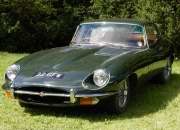
This is the pic; 20 kbs and 197x130 pixels

This is the pic; 20 kbs and 197x130 pixels

Malcolm
I only fit in a 2+2, so got one!
1969 Series 2 2+2
2009 Jaguar XF-S
2015 F Type V6 S
I only fit in a 2+2, so got one!
1969 Series 2 2+2
2009 Jaguar XF-S
2015 F Type V6 S
| Link: | |
| BBcode: | |
| HTML: | |
| Hide post links |
#10
Trying a photobucket link again as in your suggestion above....
Nope, again it said "profile updated", but avatar doesn't appear
Nope, again it said "profile updated", but avatar doesn't appear
Malcolm
I only fit in a 2+2, so got one!
1969 Series 2 2+2
2009 Jaguar XF-S
2015 F Type V6 S
I only fit in a 2+2, so got one!
1969 Series 2 2+2
2009 Jaguar XF-S
2015 F Type V6 S
| Link: | |
| BBcode: | |
| HTML: | |
| Hide post links |
#11
You need to paste the Photobucket 'Direct' link into the box not the IMG link you normally use for posting pictures in threads. The link will not have any square brackets or the letters URL or IMG in it eg http://i5.photobucket.com/albums/y186/q ... age2-1.jpg
As a test please paste the link below into the 'Link to off site Avatar' box and see if it works. If so you just need to ensure your direct link is in the same sort of format:
http://i5.photobucket.com/albums/y186/q ... al/red.jpg
As a test please paste the link below into the 'Link to off site Avatar' box and see if it works. If so you just need to ensure your direct link is in the same sort of format:
http://i5.photobucket.com/albums/y186/q ... al/red.jpg
David Jones
S1 OTS OSB
1997 Porsche 911 Guards Red
2024 Lexus LBX
Add your E-Type to our World Map: http://forum.etypeuk.com/viewtopic.php?f=1&t=1810
S1 OTS OSB
1997 Porsche 911 Guards Red
2024 Lexus LBX
Add your E-Type to our World Map: http://forum.etypeuk.com/viewtopic.php?f=1&t=1810
| Link: | |
| BBcode: | |
| HTML: | |
| Hide post links |
#12
Rebellion IPA seems to have done the trick......... cheers.
Gerry.
S2 FHC 1R20003
S2 FHC 1R20003
| Link: | |
| BBcode: | |
| HTML: | |
| Hide post links |
#13
Well done Gerry! Nice Avatar by the way - you guys are getting creative, I need to change mine!
David Jones
S1 OTS OSB
1997 Porsche 911 Guards Red
2024 Lexus LBX
Add your E-Type to our World Map: http://forum.etypeuk.com/viewtopic.php?f=1&t=1810
S1 OTS OSB
1997 Porsche 911 Guards Red
2024 Lexus LBX
Add your E-Type to our World Map: http://forum.etypeuk.com/viewtopic.php?f=1&t=1810
| Link: | |
| BBcode: | |
| HTML: | |
| Hide post links |
#14
Thanks David! Not sure why it didn't work for me (general IT incompetence I suspect) but not to worry.
Malcolm
Malcolm
Malcolm
I only fit in a 2+2, so got one!
1969 Series 2 2+2
2009 Jaguar XF-S
2015 F Type V6 S
I only fit in a 2+2, so got one!
1969 Series 2 2+2
2009 Jaguar XF-S
2015 F Type V6 S
| Link: | |
| BBcode: | |
| HTML: | |
| Hide post links |


#15
Done all of the above from start of thread still no luck in displaying Avatar as below.Heuer wrote:You need to paste the Photobucket 'Direct' link into the box not the IMG link you normally use for posting pictures in threads. The link will not have any square brackets or the letters URL or IMG in it eg http://i5.photobucket.com/albums/y186/q ... age2-1.jpg
As a test please paste the link below into the 'Link to off site Avatar' box and see if it works. If so you just need to ensure your direct link is in the same sort of format:
http://i5.photobucket.com/albums/y186/q ... al/red.jpg
What am I doing so wrong. Help required please.
John

| Link: | |
| BBcode: | |
| HTML: | |
| Hide post links |
-
 David Oslo
- Posts: 653
- Joined: Fri Sep 19, 2014 2:13 pm
- Location: Norway

#16
It's the DVLA preventing you from using it (as an Avatar) :D
David
S1 2+2 '67 MOD conversion (going)
S2 OTS '70 (arriving)
S1 2+2 '67 MOD conversion (going)
S2 OTS '70 (arriving)
| Link: | |
| BBcode: | |
| HTML: | |
| Hide post links |
#17
Don't know what you did but it is working now. I followed my own instructions and used my Administrator access to add the link.
David Jones
S1 OTS OSB
1997 Porsche 911 Guards Red
2024 Lexus LBX
Add your E-Type to our World Map: http://forum.etypeuk.com/viewtopic.php?f=1&t=1810
S1 OTS OSB
1997 Porsche 911 Guards Red
2024 Lexus LBX
Add your E-Type to our World Map: http://forum.etypeuk.com/viewtopic.php?f=1&t=1810
| Link: | |
| BBcode: | |
| HTML: | |
| Hide post links |
-
 ralphr1780
- Posts: 1104
- Joined: Wed Apr 11, 2012 4:29 pm

#19
Lucky you, I've tried so many times to upload an avatar without any success. Of course respecting the size requirements... 
Ralph
'69 OTS + '62 OTS - Belgium
'69 OTS + '62 OTS - Belgium
| Link: | |
| BBcode: | |
| HTML: | |
| Hide post links |
#20
Ralph
First upload your Avatar to Photobucket, Then copy the 'Direct' link:

Go to your Profile page, scroll down to the Avatar section and paste your Photobucket 'Direct' link into the @link to off site Avatar' box:

Click 'Save' and your Avatar will appear under 'Current Image'. All your posts will now include the Avatar.
First upload your Avatar to Photobucket, Then copy the 'Direct' link:
Go to your Profile page, scroll down to the Avatar section and paste your Photobucket 'Direct' link into the @link to off site Avatar' box:
Click 'Save' and your Avatar will appear under 'Current Image'. All your posts will now include the Avatar.
David Jones
S1 OTS OSB
1997 Porsche 911 Guards Red
2024 Lexus LBX
Add your E-Type to our World Map: http://forum.etypeuk.com/viewtopic.php?f=1&t=1810
S1 OTS OSB
1997 Porsche 911 Guards Red
2024 Lexus LBX
Add your E-Type to our World Map: http://forum.etypeuk.com/viewtopic.php?f=1&t=1810
| Link: | |
| BBcode: | |
| HTML: | |
| Hide post links |